The Question:
When I have completed all of the work involved with a service work order, what is the process to resolve and close out the order? What would be the next step in the process?
The Answer:
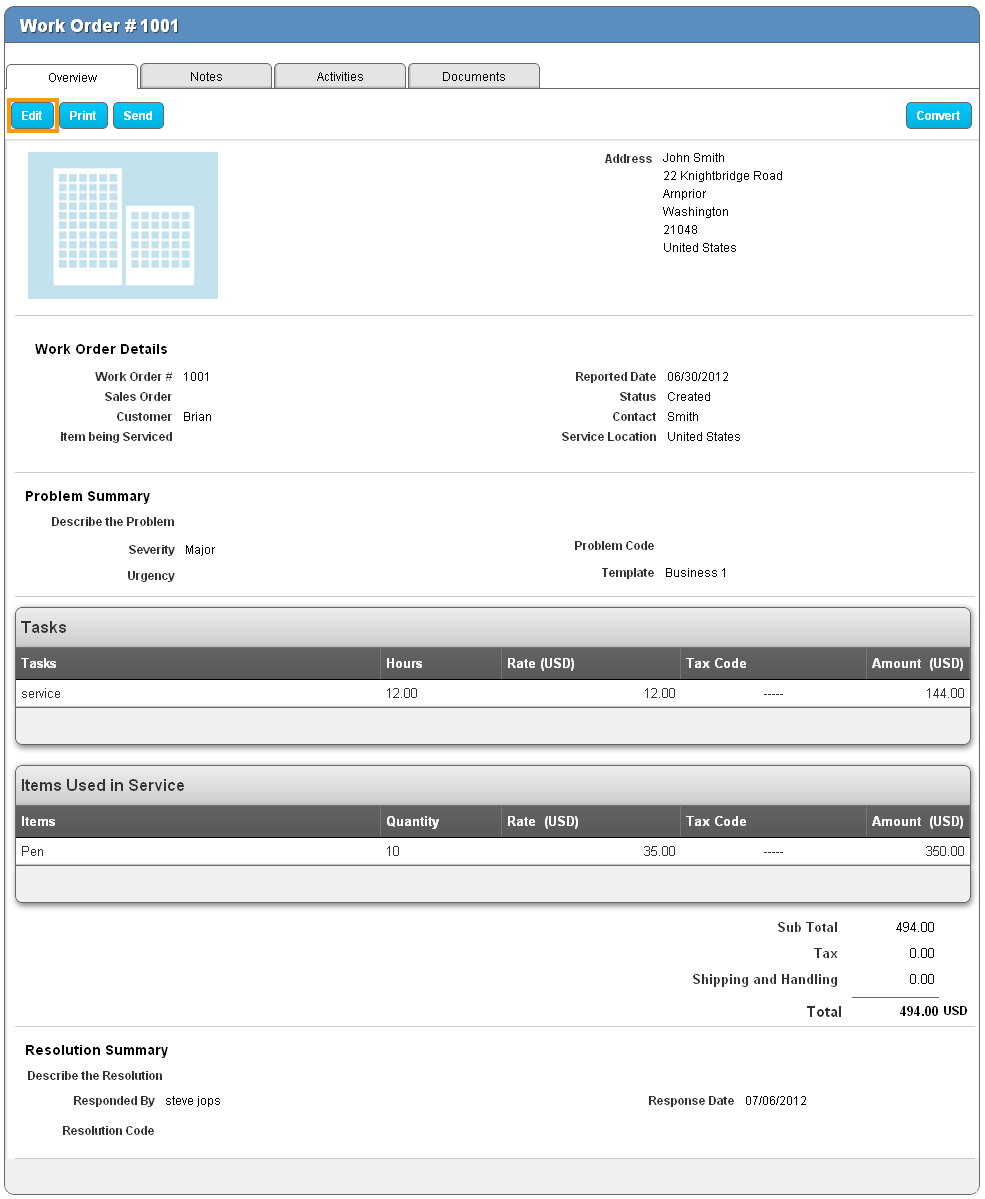
Before closing out and billing for the work order, make sure you have added all of the tasks and materials used during the work.Once all of your information is properly logged to the work order, it’s time to resolve it. To do this, click on the “Edit” button found in the upper right corner when viewing the work order.
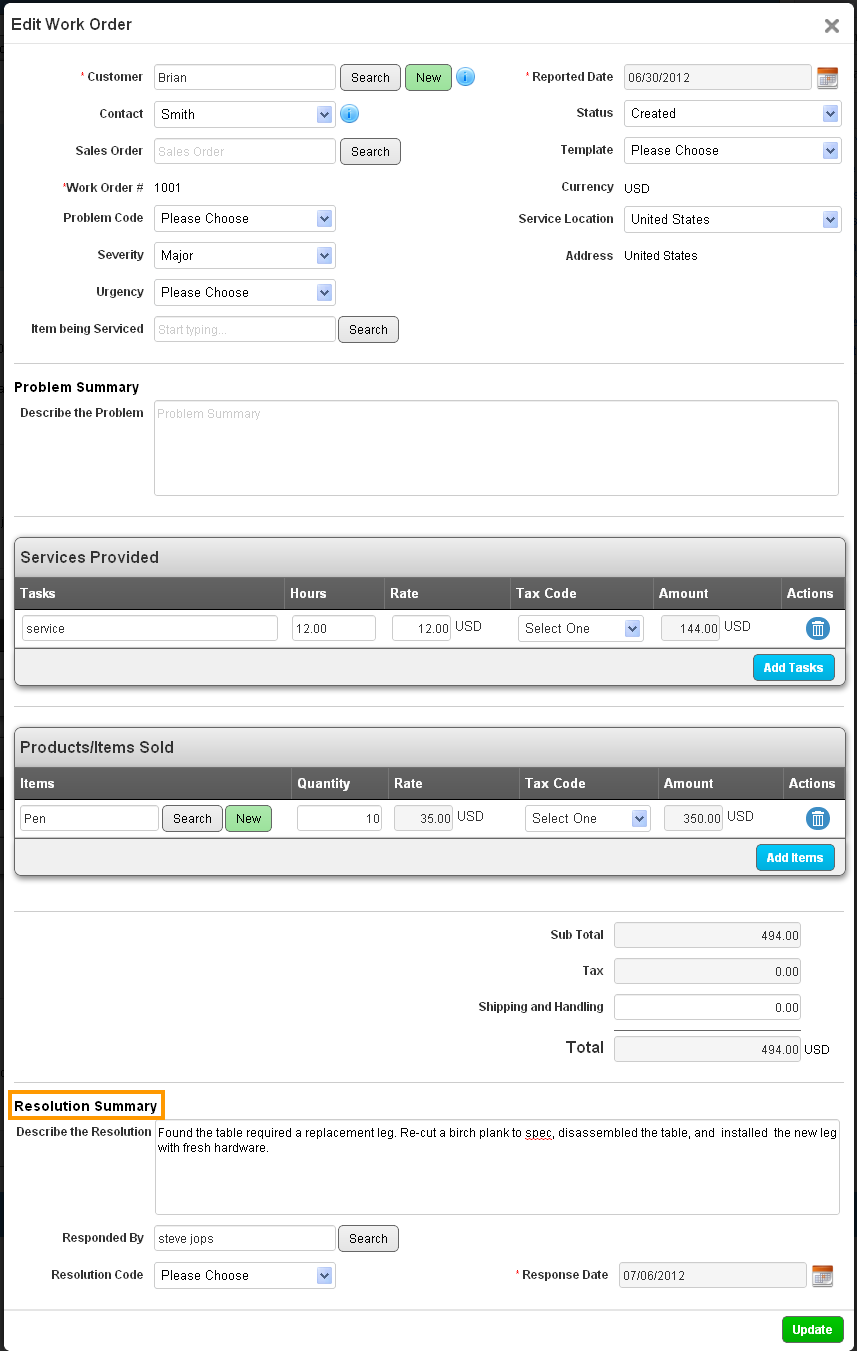
One the edit page, scroll down to the bottom, and enter a written description of how the issue was resolved. Then make sure the technician is selected, select the date that they resolved the issue, and supply the resolution code that describes how the problem was fixed.
Back to Getting Started page
Latest Blogs
Apptivo’s Integration with Amazon SES for Outgoing Email Server
Amazon Simple Email Service (SES) is an email platform that provides an easy, cost-effective way to send and receive email using your email addresses and domains. Apptivo has migrated its email service to Amazon SES (Simple Email Service) to enhance...
Read more →Release Notes as of FEB 15,2024
1.Feature Updates 2. Bug Fixes .synonyms { padding: 30px; border-radius: 10px; padding-top: 10; background: #ecf3ff; } At Apptivo, our primary goal is to continuously improve system performance and address reported issues to enhance overall efficiency. In line with this commitment,...
Read more →
EXPLORING MULTI CHANNEL CUSTOMER SUPPORT SOFTWARE
1.What is customer service software? 2.Customer service software Vs Customer relationship management 3. Touchpoints & Modes of customer service 4.Important components of customer service software 5.The top 5 must-have customer support tools that boost your business 6. The top features...
Read more →