This post will explain how to install the Apptivo Contact Sharing app from the G Suite marketplace, then enable it to sync contacts within your firm.
This sequence will allow all contacts to be shared with all employees at once. If you require advanced level permissions, where certain contacts are restricted for some employees, you’ll find a link to instructions at the bottom of this page.
Installing & Configuring the App
- Log in to G Suite, and go to the G Suite Marketplace.
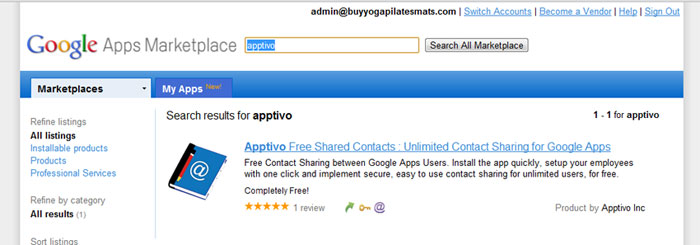
- Find the Apptivo Free Shared Contacts : Unlimited Contact Sharing for G Suite app. Then click the “Add it Now” button.
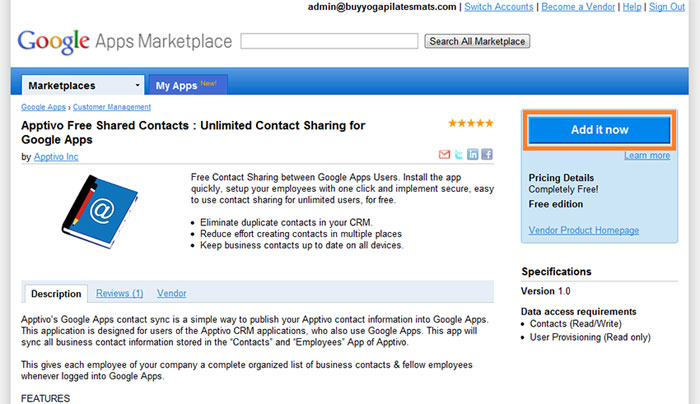
- Agree to the terms.
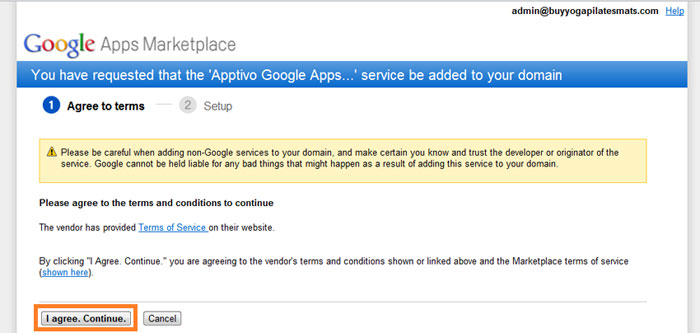
- Grant data access for user provisioning & contacts.
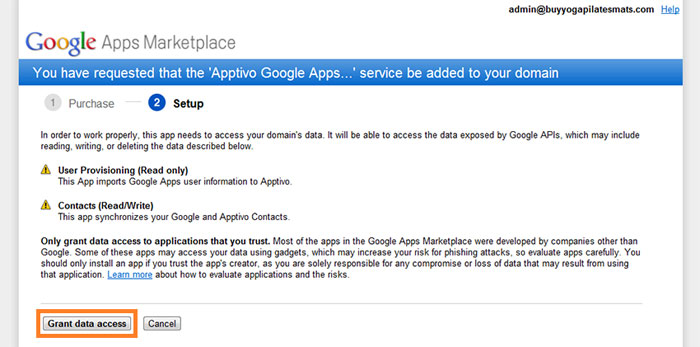
- Configure the application to be sent over to Apptivo.
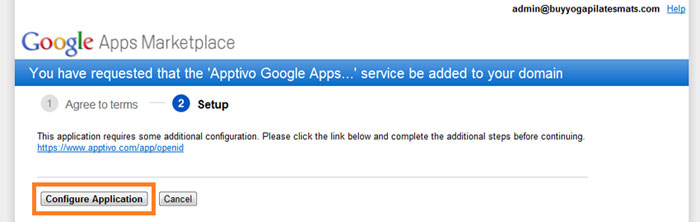
- Apptivo will check if you already have an account, if not, you’ll be asked to create a new one.
- Click the “Enable Shared Contacts for Google” button
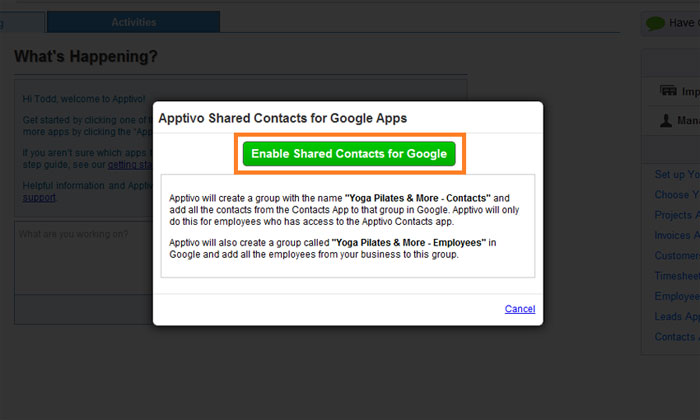
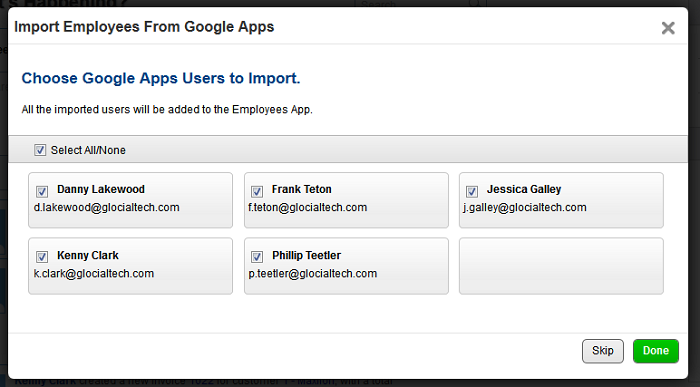
- Advanced users can import employees here. Others can click “Skip” and do this later.
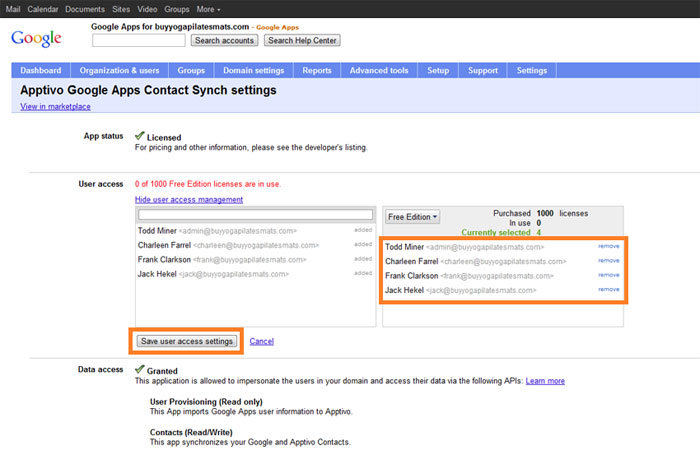
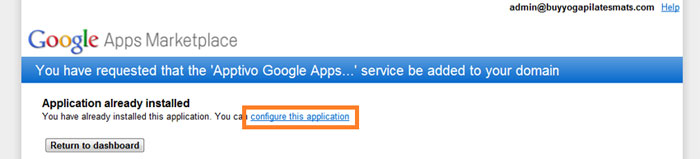
- Now you are sent back to G Suite. Click on the “Configure This Application” link.
- Click on users to give them access to the app, then save user access settings.
Contact Sharing is Now Configured in Google
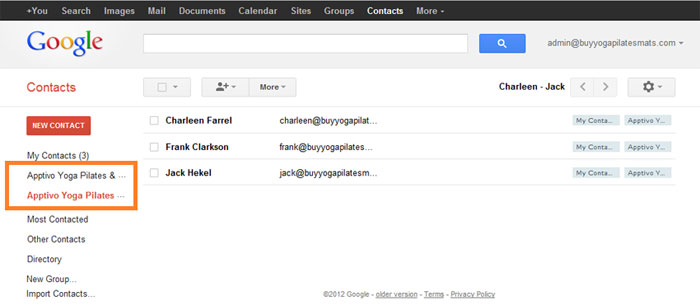
You will now see two new contact groups created in Google. These groups (employees, and contacts) will remain in sync with the contacts app. You may need to wait 5 minutes for all contacts to appear.
Next Steps
You will not need to import employees to Apptivo (if you didn’t already), and then configure any security settings desired.
Head back to the main contact sharing guide for the details on these steps.
Latest Blogs
Apptivo’s Integration with Amazon SES for Outgoing Email Server
Amazon Simple Email Service (SES) is an email platform that provides an easy, cost-effective way to send and receive email using your email addresses and domains. Apptivo has migrated its email service to Amazon SES (Simple Email Service) to enhance...
Read more →Release Notes as of FEB 15,2024
1.Feature Updates 2. Bug Fixes .synonyms { padding: 30px; border-radius: 10px; padding-top: 10; background: #ecf3ff; } At Apptivo, our primary goal is to continuously improve system performance and address reported issues to enhance overall efficiency. In line with this commitment,...
Read more →
EXPLORING MULTI CHANNEL CUSTOMER SUPPORT SOFTWARE
1.What is customer service software? 2.Customer service software Vs Customer relationship management 3. Touchpoints & Modes of customer service 4.Important components of customer service software 5.The top 5 must-have customer support tools that boost your business 6. The top features...
Read more →